Versions · values · reported outcomes
See the information
behind a print request.
When a lot number is questioned or a design has changed, start with the recorded job. Inspect the label version, values, destination and delivery state without relying on the design currently open on someone's screen.
Northline Parts · synthetic investigation
Which lot and design
were used for this pack?
Elisa, the label specialist in this example, is asked about a bearing label after the morning packing batch.
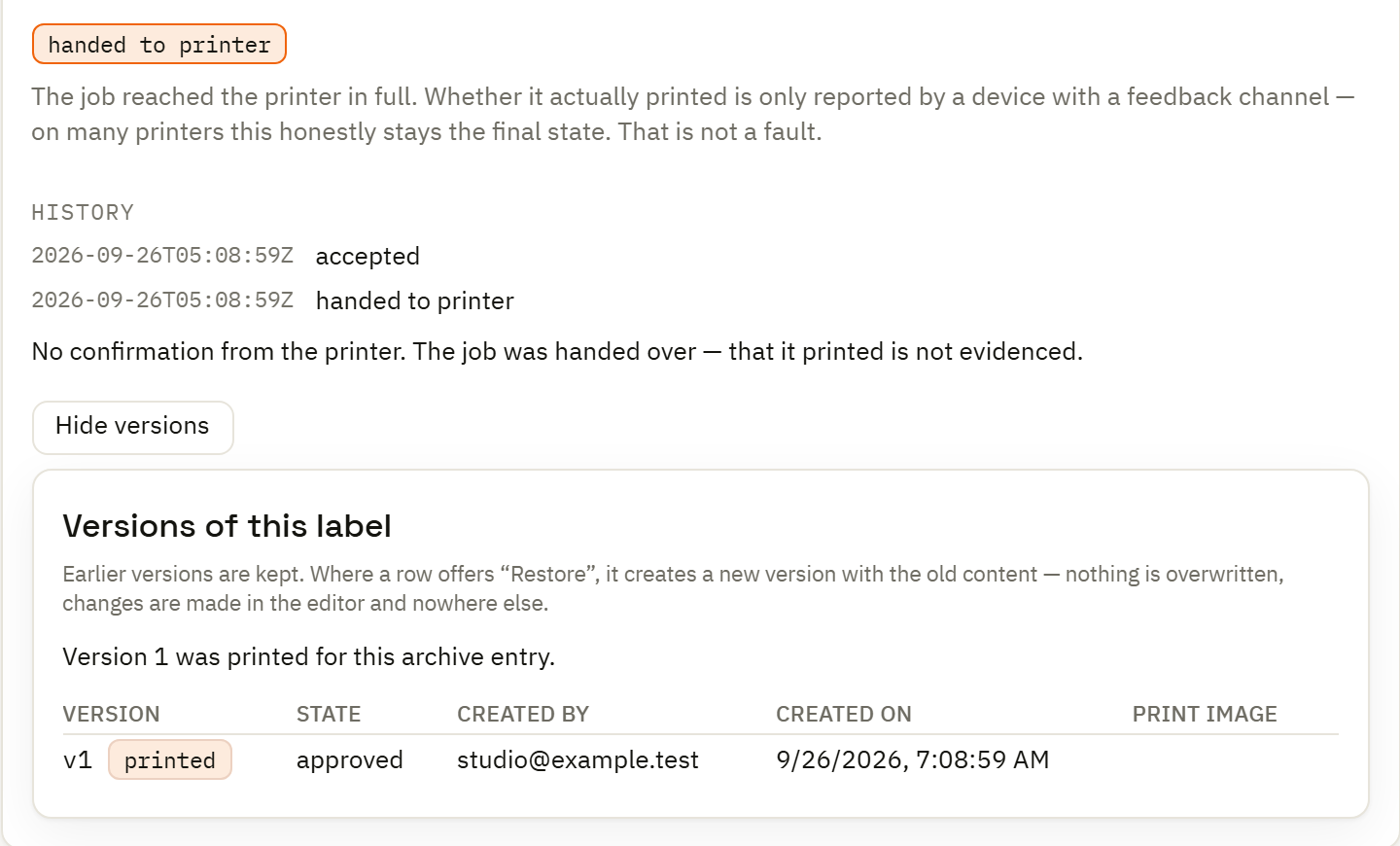
The executed automation produced a record for Precision bearing 6204 with part number BRG-6204, lot LOT-260926-A and a pack quantity of 24. Its label version is 1 and its local simulator delivery is recorded as sent.
Those facts give Elisa a concrete starting point for reviewing the request and the design that belonged to it.
See how that batch was processed →Find the relevant print record
Use the archive's time and label context to locate the request. Open the detail before drawing conclusions from a list row.
Inspect the recorded values
Check product, part number, lot and other captured inputs against the order under investigation. Keep pack contents separate from the number of label copies.
Identify the document version
Read the saved version and document identity associated with the job. A later edit to the working label does not redefine that recorded reference.
Read the destination and outcome
Review the target and reported delivery state. “Sent” describes a transmission outcome; it does not establish a physical inspection of the applied label.
Follow the change history
Inspect document versions and change audit separately when the question is who changed a design or configuration. Use rendered comparison when reviewing a proposed design change.
Choose the next action
Correct source data, revise the design or investigate delivery according to the evidence. Review earlier output before asking an operator to print again.
Ask the right record
A print history and
a change history.
| Question | Where to look | What to inspect |
|---|---|---|
| What did this request use? | Print archive | Recorded variables, document version, destination and delivery state. |
| Why did one row take another path? | Automation run | Branch counts, reported errors and operator notices. |
| What changed in the design? | Document versions and review | The saved versions and rendered comparison for the selected change. |
| Who changed a setting? | Change audit | The recorded actor, action and timing for the relevant change. |
Before the next version
Review the visible effect
of a design change.
Compare a proposed label with the approved version using representative sample values. Inspect the changed text, layout and encoded content before the updated design reaches the operation.
The review image shows a separate synthetic design-change example. It complements the print-history investigation; it is not a reconstruction of the bearing label's physical output.
Explore version review and distribution →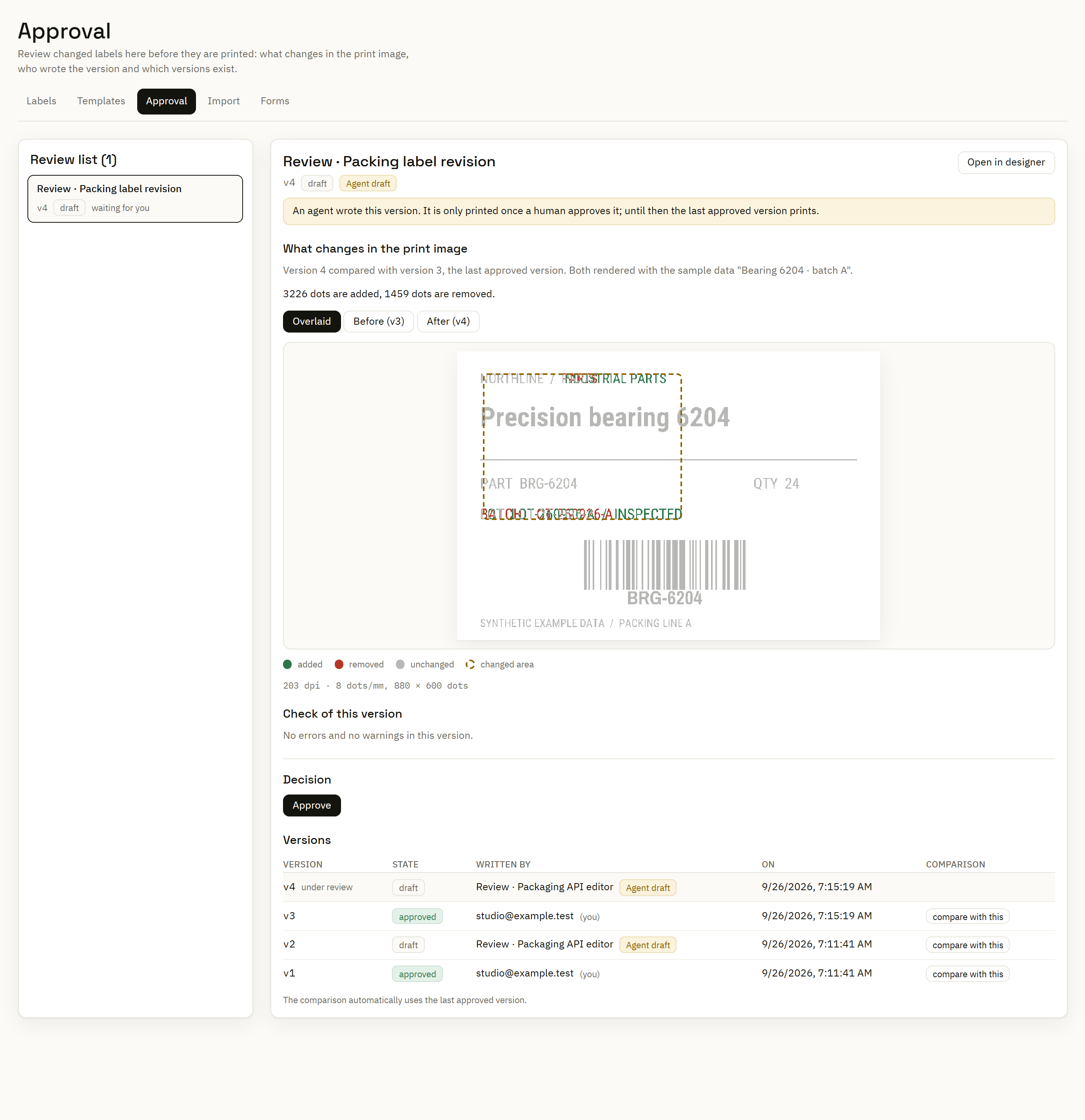
Keep the scope of the evidence clear
This workflow supports investigation of label requests and changes. Connect the relevant order, batch or shipment identity in your data if you need to relate it to a wider business record. Full supply-chain genealogy and regulatory validation require the corresponding processes and systems.