Reuse the design
Change the product or pack quantity through values instead of maintaining another drawing. Saved sample sets help the label specialist inspect variations before handing over the form.
Design with business data →The packing station
Turn a reusable label into a focused browser form. Guide product and lot entry, show the rendered label and keep the destination visible at the moment of printing.
Northline Parts · synthetic station
Mara's team packs components throughout the shift. Operators need to enter the part and lot for the current pack without opening the label's layout tools.
The illustrated station uses a saved custom form connected to a variable label. Product, part number, lot and units per pack appear in the same operator workflow as the label preview.
Current product UI with synthetic values. The screenshot demonstrates the configured station and rendered preview; a print action was not submitted from this captured form.
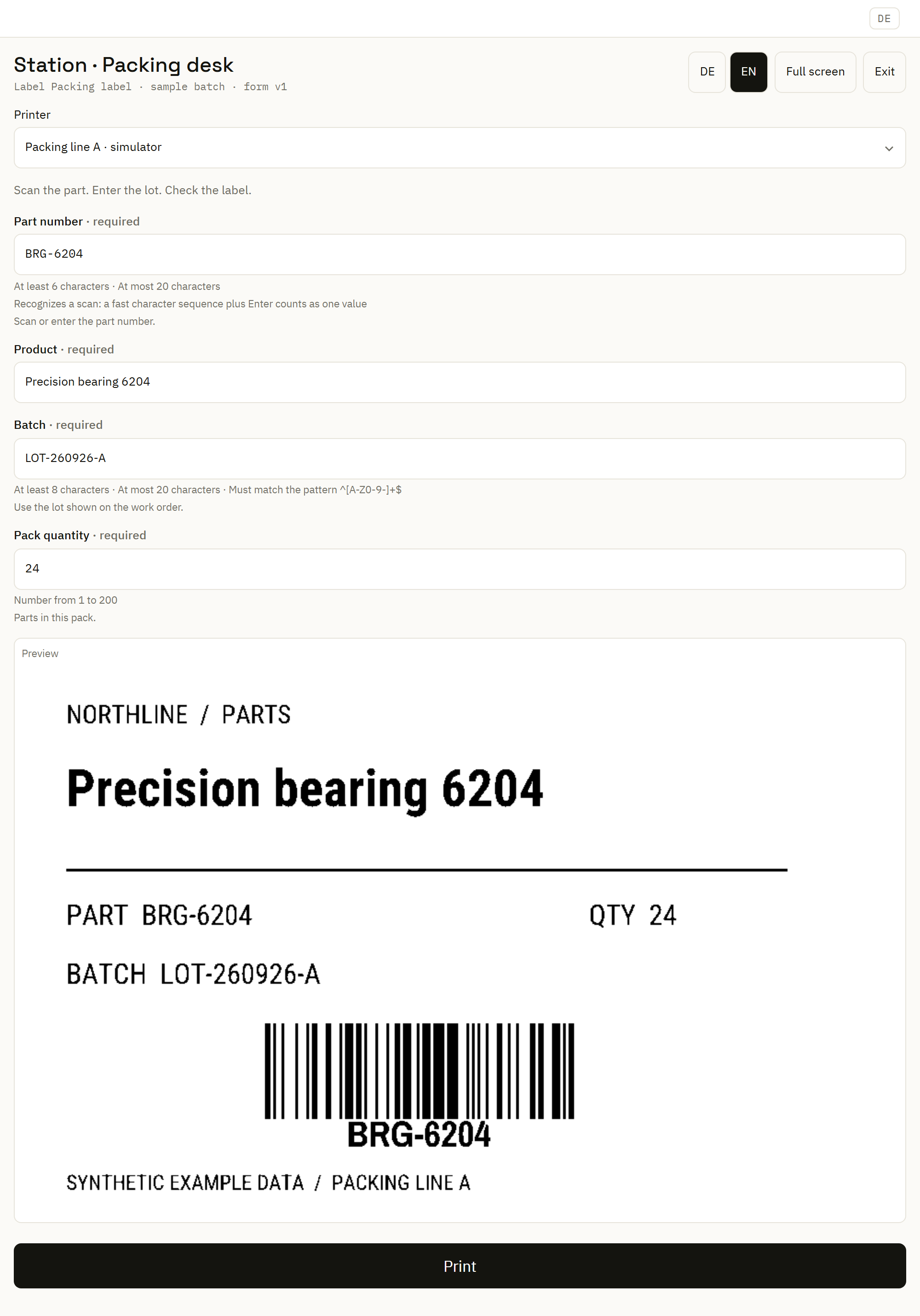
A shift-ready sequence
Give the operator a direct link to the intended packing form. Kiosk mode provides a focused view for the station display.
Use fields configured for keyboard or scanner entry. Keep the part number and lot separate so each can have its own prompt and validation rules.
Mark the lot as required and define the accepted format where the process needs it. Clear field names and useful defaults help the operator understand what remains to be entered.
Inspect the actual preview using the entered values. Include long descriptions and changing pack quantities when setting up the form.
Select the intended printer and submit the configured action. Keep units inside the pack distinct from any field used to request label copies.
Read the station's reported result and use print history when investigating a request. If delivery is uncertain, inspect earlier work before submitting again.
Test before the shift
Start from the label's declared inputs, then use the Forms Builder to organize the operator experience. Configure field labels, scan behavior, required values, rules and the preview.
Run representative part, lot and quantity values through the native dry run. Review validation and the rendered label before assigning the saved form to a station.
See custom forms and their runtime →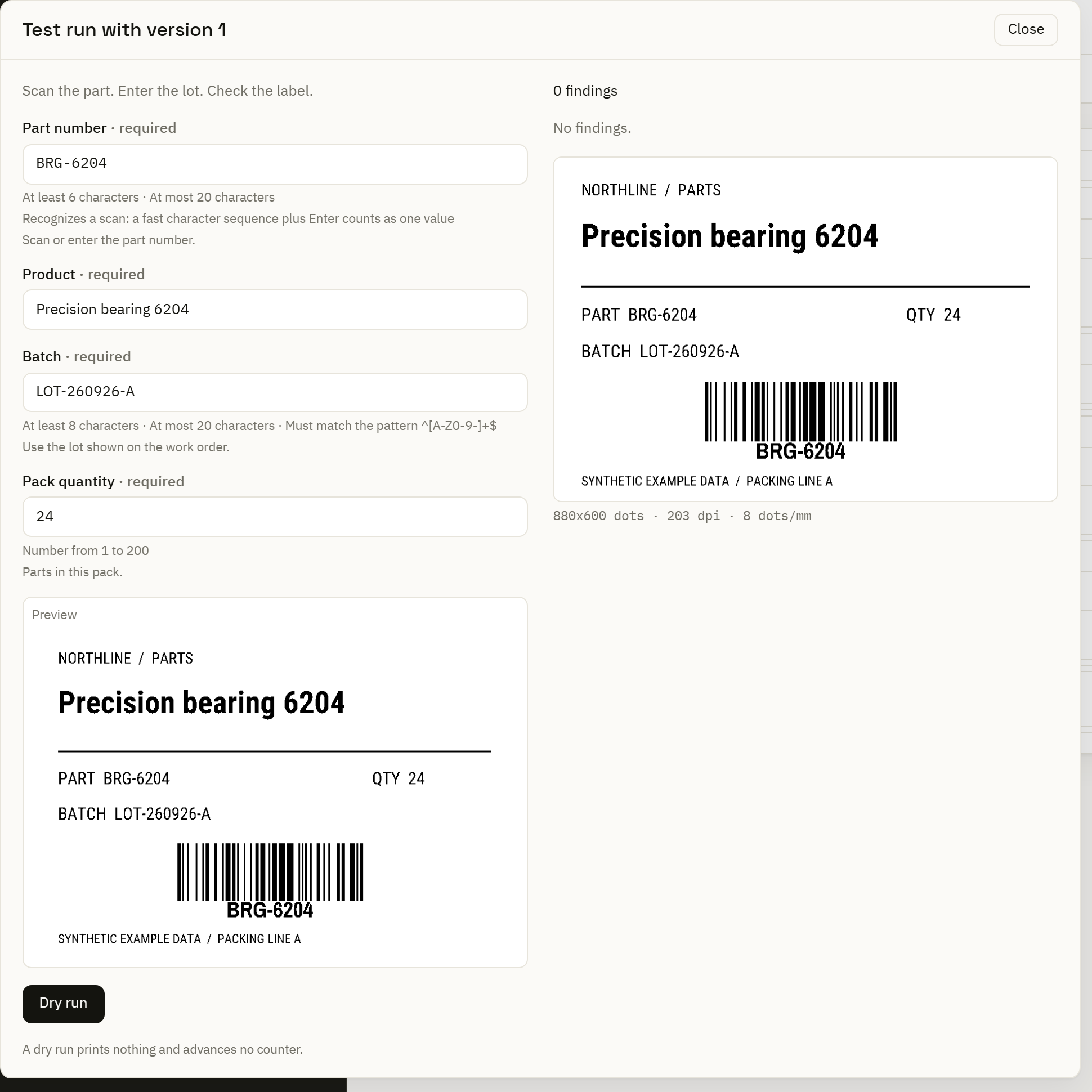
Change the product or pack quantity through values instead of maintaining another drawing. Saved sample sets help the label specialist inspect variations before handing over the form.
Design with business data →This browser station is hosted by the Center and needs access to it. Local Automation Service execution is a separate capability; it does not make the Center-hosted form available during a lost connection.
Plan the station's dependencies →When orders already contain the necessary values, use the same labeling concepts in a business-data workflow. Keep the operator form for checks, corrections or the work that still starts at the bench.
Follow an automated packing batch →A normal pack, a long product description and an incomplete lot give the team concrete cases to review. Check the field behavior, preview and chosen printer before rolling the station out to the next bench.