Stage a larger group
For a group with multiple services, staged rollout lets an initial set receive the version before the next stage is approved. The two-site example above did not exercise that mechanism.
Central changes · local execution
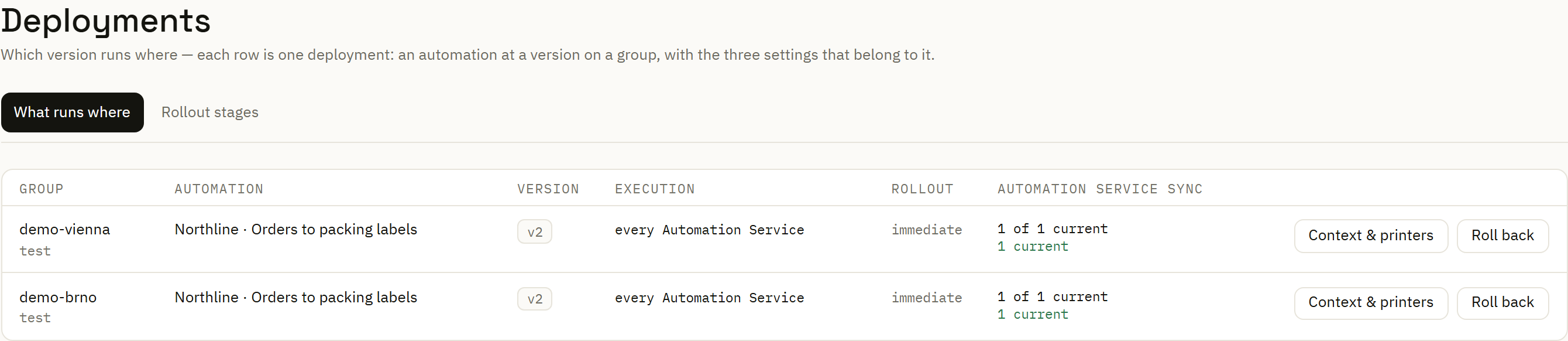
Share a labeling process across locations while keeping local printer assignments explicit. Choose a version, distribute it to a group and see whether its Automation Services have applied the change.
Northline Parts · synthetic sites
Jonas maintains the packing workflow centrally. Mara needs the standard-parts line in Vienna to keep its printer assignment. Lucie needs to know what Brno's dispatch service actually received.
The workflow refers to printer roles such as standard parts and service kits. A deployment maps those roles to the relevant destination. The same business logic can therefore be assigned with different local addresses.
Explore central review and distribution →Enroll and approve an Automation Service, then put it in the intended group. Check its reported connection and applied state.
Create a deployment for a specific version of the automation. Saving a newer version does not silently replace a pinned deployment.
Resolve the workflow's printer roles to the site's configured targets. Include those mappings in the deployment review.
Compare the target version with the service's reported version. A pending or unreported state remains visible until the service catches up.
Keep another group on its chosen version until you are ready to distribute the update there. Inspect its application state after the change.
Observed version change
The demonstration changed the batch-review message in a second saved version, then distributed that version separately to the two groups.
| Step | Vienna packing | Brno dispatch | What was checked |
|---|---|---|---|
| Initial distribution | Version 1 | Version 1 | Both services reported their selected version current. |
| First site's update | Version 2 | Version 1 | Vienna's new target and actual version matched; Brno retained its earlier deployment. |
| Second site's update | Version 2 | Version 2 | Both services reported version 2 current. |
Executed on 26 September 2026 with local services and synthetic site names. This demonstrates explicit distribution between groups.
For a group with multiple services, staged rollout lets an initial set receive the version before the next stage is approved. The two-site example above did not exercise that mechanism.
A service that cannot reach the Center cannot immediately receive new documents. Keep its last reported state and the pending target in view when coordinating the site's work.
Map connection dependencies →Return the deployment to an earlier version if the update needs to be withdrawn. Already produced labels and recorded print outcomes still require their own operational review.
Has the change been saved? Has that version been selected for this group? Has the local service reported it applied? Keeping those answers distinct makes a rollout easier to coordinate.